Why Isn't My Website Showing Up on Google?
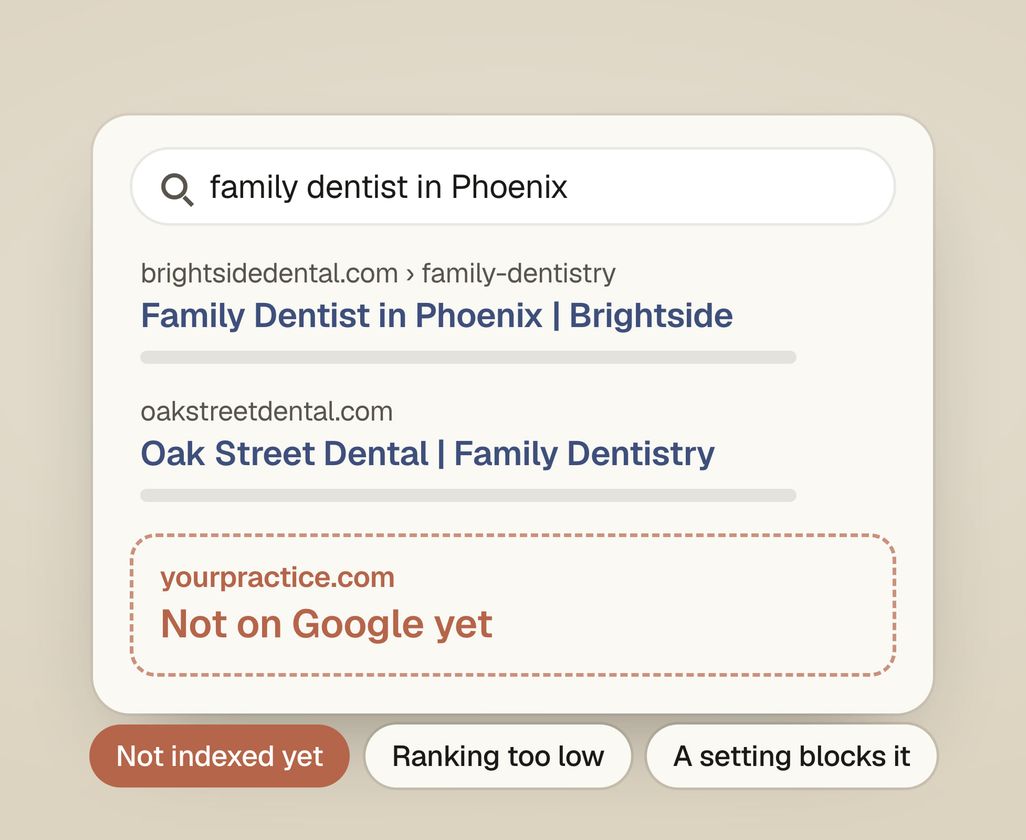
If your practice’s website isn’t showing up on Google, it’s almost always one of three things. Google hasn’t added it to its index (the list of pages it can show) yet, or it ranks too low to see, or a setting is blocking it. The quickest way to tell which is to search your exact domain and check Google Search Console.
Not showing up on Google feels like a mystery, but it’s usually a short list of fixable causes. This guide walks through each cause, how to check which one applies to your practice, and what to do about it.
First, which problem do you actually have?
There are two very different reasons a website doesn’t show up, and mixing them up wastes weeks. The first is that Google doesn’t have your site in its index at all. The second is that Google has it, but ranks it so low nobody scrolls that far. Tell these apart before you change anything.
The one-minute test: go to Google and search for site:yourdomain.com (using your real domain, no spaces after the colon).
- You see pages listed → you’re indexed. Your problem is ranking. Skip to “It’s indexed but still doesn’t rank.”
- You see nothing, or “no results found” → you’re not indexed. Google can’t show what it doesn’t have. Start with “Google hasn’t found or indexed your site yet.”
This search keeps you from fixing the wrong thing. For example, more treatment pages help ranking, but they do nothing if a setting is blocking Google from your site. Indexing means Google has crawled your page and stored it, making it eligible to appear. Ranking is where you land once you’re eligible.
Google hasn’t found or indexed your site yet
If site:yourdomain.com returns nothing, Google either hasn’t discovered your site or has been told not to include it. This is the most common reason a new or relaunched practice website is invisible, and most of the causes are quick to fix.
Work through these in order:
- Give a new site time. If you launched in the last few days or weeks, Google may not have crawled it yet. There’s no way to force instant indexing, but you can speed it along (step 3). Don’t assume something’s broken on day two.
- Set up Google Search Console. This is Google’s free tool that shows exactly what it sees on your site: which pages are indexed, which aren’t, and why. Verify your site, then open the Page indexing report. It will tell you whether pages are excluded and give the reason (for example “Blocked by robots.txt” or “Excluded by ‘noindex’ tag”). If a previous agency or web designer set up Search Console, ask them to add the practice’s own Google account as an owner.
- Submit your site to Google. In Search Console, paste a page URL into the inspection bar at the top and click Request indexing. Also submit your sitemap (usually at
yourdomain.com/sitemap.xml) under the Sitemaps report. A sitemap is a list of your pages that helps Google find them all. - Check you’re not accidentally blocking Google. There are three common ways a site blocks Google by mistake. One is a “Discourage search engines” box left checked in your website builder or WordPress settings, which is very common right after launch. Another is a
noindextag, a line of code that tells Google not to list a page. The third is arobots.txtfile, which tells Google which parts of the site it may not visit. Search Console flags all three. If you use WordPress, look under Settings → Reading for that checkbox. The same robots.txt file can also block ChatGPT. Our guide on getting your dental practice recommended by ChatGPT shows which lines to check. - Make sure the page can be reached. If a page has no links pointing to it from anywhere (not your menu, not another page, not your sitemap), Google may never find it. Every treatment page should be linked from somewhere on your site.
If you’ve done all five and pages still aren’t indexed after a few weeks, there is usually a deeper technical problem. Fixing the problems that stop Google from listing your pages is the first part of our dental SEO service.
It’s indexed but still doesn’t rank
If site:yourdomain.com shows your pages but you can’t find the practice in normal search results, you have a ranking problem. Being in Google’s index only makes you eligible to appear. Where you land depends on how well your page matches the search and how much Google trusts your site. Most people never look past the first few results, so a website on page 3 gets almost no visits.
The usual reasons a practice website ranks too low to see:
- You’re checking a search that’s too broad. If you search “dentist” or “dental implants” with no location, you’re competing nationally against huge sites. Try the search a real patient would type (“dentist in [your town]”, “emergency dentist near me”) and check whether you appear there. Practices often rank for specific local searches long before broad ones.
- Your pages don’t clearly match what patients search. If your homepage says “Welcome to our practice” but never says what you treat and where, Google struggles to match you to “family dentist in Phoenix.” Pages need to state the treatment and the place plainly. The treatments patients research most, such as implants and clear aligners, each need their own page.
- You’re new, and trust takes time. Google trusts new websites less at first. The same goes for websites that few other trusted websites link to. That trust builds over months.
- Your Google Business Profile is missing or thin. For local searches, the Google Maps results depend mostly on your Google Business Profile, not your website. A half-filled or unclaimed listing is a very common reason a practice doesn’t show up there. Our Google Business Profile checklist for dental practices covers each part of the listing.
- Personalized results are fooling you. When you search for your own practice, Google often shows you higher because it knows you. Check in an incognito window, or ask a friend, before deciding where you really rank.
Ranking is the slow part of the work, and it builds over time. Our guide on how to get more patients in a dental practice shows which to work on first: the listing, the website or the treatment pages.
How do I check if Google has indexed my site?
Search site:yourdomain.com in Google. If pages appear, you’re indexed; if nothing appears, you’re not. For the full picture, open Google Search Console and read the Page indexing report, which lists every page Google knows about and the reason any are excluded. Search Console is free and is the only source that shows exactly what Google sees.
How long does it take for a new website to show up on Google?
For a brand-new site, expect anywhere from a few days to a few weeks to be indexed, and longer to rank meaningfully. Google has to discover the site, crawl it, and decide it’s worth storing before it can appear at all. Submitting your sitemap and requesting indexing in Search Console can speed up discovery, but nothing guarantees instant appearance. Treat any promise of overnight results as a warning sign.
Ranking well is a separate, slower timeline. Even once indexed, climbing to where patients see you commonly takes a few months of steady work, especially in competitive areas.
Could a technical setting be blocking Google entirely?
Yes, and it’s one of the most common causes right after a site launch or redesign. The usual culprits are a “discourage search engines” checkbox left on in your site builder, a noindex tag on your pages, or a robots.txt file telling Google not to crawl. Any one of these can hide a page, or the whole site, no matter how good it is, and Google Search Console’s Page indexing report will name the exact problem.
These are settings, and they are reversible. Once you find the block, unchecking a box or removing a tag fixes it, and Google picks up the change the next time it crawls (Request indexing speeds that up).
Find out what to fix first
The audit checks whether Google can see your practice’s website. It shows why the site isn’t showing up for the searches patients make, and what to fix first. Get my practice audit.
