How Dentists Should Respond to Google Reviews Without Breaking HIPAA
You respond to a Google review by opening your practice’s Google Business Profile, finding the review, and clicking Reply. For a dental practice, what you say matters more than for most businesses, because HIPAA applies to review replies. Thank happy reviewers in general terms. For negative reviews, stay calm and ask the person to call the office. Never confirm they are a patient, and never mention their care. Replying to every review, good or bad, shows prospective patients the practice is paying attention.
What does HIPAA mean for review replies?
A review reply is a public statement from the practice, and HIPAA’s privacy rules apply to it. Federal regulators have fined dental practices for replies that disclosed patient information, usually while defending themselves against a bad review. The reviewer choosing to share their own details does not give the practice permission to discuss them.
This has happened to dental practices. The HHS Office for Civil Rights has settled with or penalized several of them over review replies. A Dallas practice paid $10,000 over its Yelp replies. A North Carolina practice got a $50,000 penalty after it answered a negative review with patient information.
Four rules cover almost every case:
- Don’t confirm the reviewer is a patient. No “thanks for visiting us”, no “we enjoyed seeing you”, no name with a thank-you for their care.
- Don’t mention treatment or visit details. No procedures, dates, appointments, insurance, balances or what the dentist said, even to correct the record.
- Don’t deny it either. “We have no record of you” also tells readers something about who is in your records.
- Take it offline. Give a phone number and a person, usually the office manager, and have the conversation privately.
Our guide on how to ask patients for Google reviews covers the enforcement cases and how to request reviews within the same rules.
Why should a practice reply to Google reviews at all?
Replying shows prospective patients that a real person is paying attention, and that builds trust before anyone calls. Google has also said publicly that responding to reviews can improve your local visibility, because engagement is a signal that a business is active and cared for.
Most people reading your reviews are not the ones who wrote them. They’re people choosing a dentist and deciding whether to trust you. Many of them are nervous about it. A calm, gracious reply to a bad review often does more for you than the five-star reviews above it, because it shows how the practice behaves when something goes wrong.
Where do you actually reply to a Google review?
You reply from your Google Business Profile, the free listing that shows your practice on Google Search and Google Maps. You can manage reviews directly from Search or Maps when you’re signed in to the Google account that owns the profile, or from the profile dashboard.
There is no separate “reviews app” anymore. Google retired the standalone Google My Business app, so today you manage everything from within Search and Maps themselves, or from a browser. If you haven’t claimed and verified your listing yet, you won’t see a Reply button at all. Do that first with our guide on how to verify your Google Business Profile.
How do you reply to a Google review, step by step?
Replying takes under a minute once your profile is verified. These steps use the current Google interface as of 2026.
- Sign in to the Google account that owns or manages the practice’s Business Profile. If a former office manager or an agency set it up, ask which account has access.
- Open your profile. On a computer, search your practice name on Google, or type
my businessinto Google Search while signed in. Your profile management panel appears at the top of the results. On a phone, open the Google Maps app, tap your profile picture, and choose Your Business Profile. - Find the reviews. Click or tap Reviews (sometimes shown as Read reviews). You’ll see every review left on your listing, newest first.
- Choose the review you want to answer and click Reply beneath it.
- Write your response in the reply box, following the rules above (there’s wording for good and bad reviews below).
- Read it once more, then click Post (or Send). Your reply publishes publicly under the review, labeled as coming from the owner.
- To edit or delete your reply later, return to the review, click the three-dot menu on your response, and choose Edit or Delete. You can update a reply any time.
Your reply usually appears within moments, though it can occasionally take a little while to show for everyone. The reviewer is also notified by email that the business responded.
How should a practice respond to a positive review?
Keep it short and warm, and keep it general. A good review doesn’t need a paragraph. It needs to sound like a person at the practice read it.
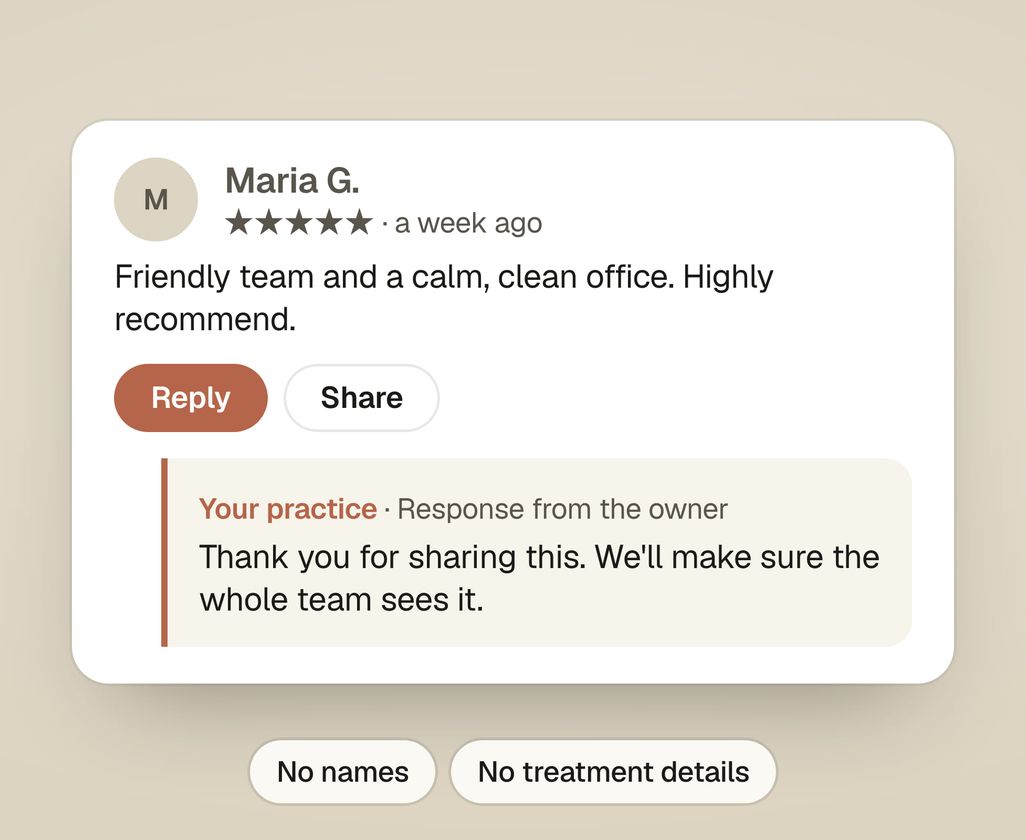
“Thank you for sharing this. We’ll make sure the whole team sees it.”
“This made our morning. Thank you for taking the time to write it.”
Most businesses are told to thank reviewers by name and repeat a detail they mentioned. A dental practice can’t do that. A reply like “Thanks, Maria, we’re glad the crown went smoothly” confirms Maria is a patient and names her treatment. Vary the wording across replies instead, so they don’t read as copied and pasted.
How should a practice respond to a negative review?
Respond calmly within a day or two, say you’re sorry they’re unhappy, and invite them to call. Never argue the facts in public, even when you’re sure you’re right, because the facts are patient information.
A structure that works even when the review stings:
- Thank them for the feedback. It disarms the tension.
- Say you’re sorry they’re unhappy, without confirming they were ever seen.
- Take it offline. Give a name and a direct way to reach them, usually the office manager.
- Keep it short. Long replies read as defensive, and every extra sentence is a chance to disclose something.
An example:
“Thank you for the feedback, and I’m sorry to read this. It’s not the experience we want anyone to have, and privacy rules keep us from discussing anyone’s care online. Please call our office manager, [Name], at [number]. We’d like to talk.”
The hardest case is a review that is wrong about the treatment, the bill or the insurance. The urge is to correct it point by point. Don’t. Respond to the concern in general terms and let the phone call do the rest. And never let a dentist reply while they’re still upset. Take an hour, then write it for the next patient reading it.
What if the review is fake or breaks Google’s rules?
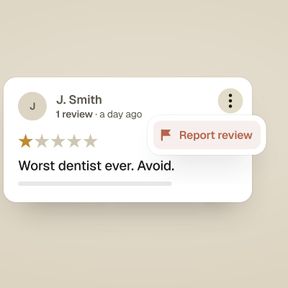
If a review is fake, comes from someone who was never a patient, or contains abuse, spam, or hate speech, you can report it to Google for removal. Post a calm, general public reply while you wait, using the same rules: no confirming or denying anything. Google’s review policies prohibit content that’s off-topic, fake, or offensive, and genuinely violating reviews can be taken down.
Google removes reviews that break its content policies. A one-star rating from a real patient who had a bad day will not be removed because it feels unfair. Reporting isn’t instant, and Google doesn’t always agree with you, so the reply is what other patients see in the meantime. The full process is in our guide on how to remove a fake Google review.
How do you get more reviews to respond to in the first place?
Ask every patient, the same way, and send a link that opens straight to the review box. Asking only the patients you expect to be happy is review gating, which Google’s policy forbids. Offering anything in return for a review is also prohibited. Our guides on how to get a Google review link and how to ask patients for Google reviews cover the link and the front-desk scripts. Reviews and replies are one part of your listing. The rest is covered on our Google Business Profile service for dentists.
Find out what to fix first
The audit compares your reviews and replies with the top three practices near you on Google, and shows what to fix first. Get my practice audit.